February 19: Updated App Push Notifications
Hi Everyone!
Huge thank you to @ezrabc @krinkthemellowunicorn for updating our app notifications this week!
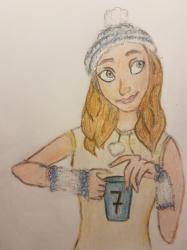
Specifically, we are going to start sending out teacup push notifications. Your tea cup measures your engagement on your growth path and encourages you to keep going!
This update is now live for Android users and will be live for iphone users shortly. For those of you who have earlier devices, there may be some small side effects.
@ezrabc made this list to highligh the updates:
1.4 - Legacy
Background: Notification will appear in message center and open app to active tab
Foreground: No notification
2.5 - Appgyver
Background: Notification will appear in message center and open app to active tab
Foreground: No notification
2.5 to 2.5.7:
Background: Notification will appear in message center and open app to active tab
Foreground: Notification will appear in blocking alert modal unless newMessage.
Just like this:

2.5.8 and later:
Background: Notification will appear in message center and open app to desired tab/action
Foreground: Notification will appear as desired with optional click to desired tab/action
Just like this:

Consequence:
2.5 to 2.5.7 Foreground: active users will see all new notifications as blocking alert modals
< 2.5.8 Background: clicking on an alert in the message center will not perform the desired action
We hope these improve your experience using the app! Enjoy your tea cup!!

thanks laura, ezra and krink...
Good work!
thanks, @Laura!
For members especially we're interested in hearing if you are receiving the teacup reminders as expected and if you are receiving them, how well they are working.
People should also now get notifications when their requests are picked up (so you can switch to something else on your phone, for example, till your request goes through) and listeners will get notifications when they have incoming personal requests.

@Laura
I can't see those images for some reason.

I can't see the images either.
Yeah I can't see the images in the first post either...